Code Overlord 2 · v2.0.0 ·
The Silver Citadel
your task list now executes
Code Overlord 2 is the Silver Citadel, and it is the biggest change the product has ever had. In version 1 you started agents wherever you liked and kept the plan somewhere else. In version 2, Thy Quill is the task list, and the task list executes. New work starts as a task. Every task has its brief, its agents, the files they made and the story of how the work got done, in one place, on the desktop and on your phone. Above it all sits the Dark Lord, the workspace's own agent, who looks after the board for you.
- Android
- iOS
- Desktop
- Infrastructure
What changed from version 1
| In version 1 | In version 2 |
|---|---|
| You could start an agent anywhere, for anything. | Every new agent starts from a task on Thy Quill. |
| Agents sat in a row of terminal tabs. | A task holds a tree of its agents, and a Task Lord can lead them. |
| The Dark Lord routed each ask you gave it. | The Dark Lord looks after the whole board under its laws. |
| A finished session took its story with it. | Each task keeps its Spoils and every earlier run. |
| Rituals lived in their own corner. | A Ritual opens in the same view as a task. |
| Parallel agents shared one checkout. | Agents can each work in their own copy and land on your trunk when they pass. |
| The phone had five tabs of separate lists. | The phone opens tasks, with the Dark Lord one tap away. |
Everything starts as a task
A task is one row of Thy Quill. Its materials, its agents and its history all hang off that row, so there is no second list to keep in step.
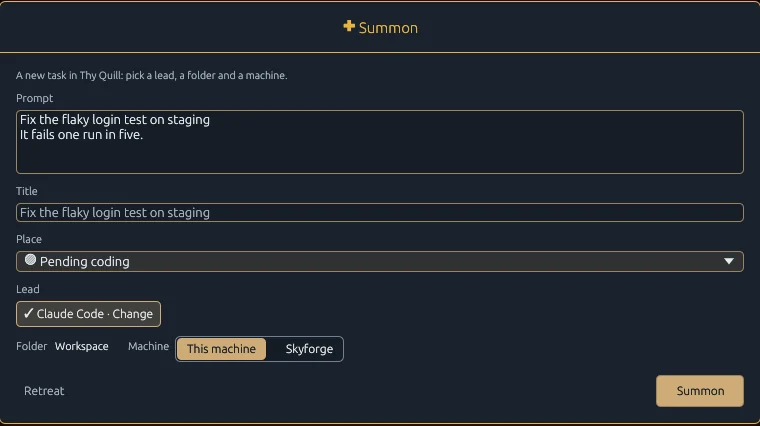
- ✚ Summon starts new work in one dialog. Type or dictate the prompt, give it a title, choose where the row goes, then pick the lead, the folder and the machine. Until you type a title, the prompt's first line stands in.
- Commence on any row starts a new run of that same task. Continuing work never makes a new row.
- Inscribe saves a row and starts nothing, for work you want written down before it begins. Where the board's laws hold a heading, Summon offers Inscribe and keeps your words as the row's opening instruction.
A Task Lord to run each task
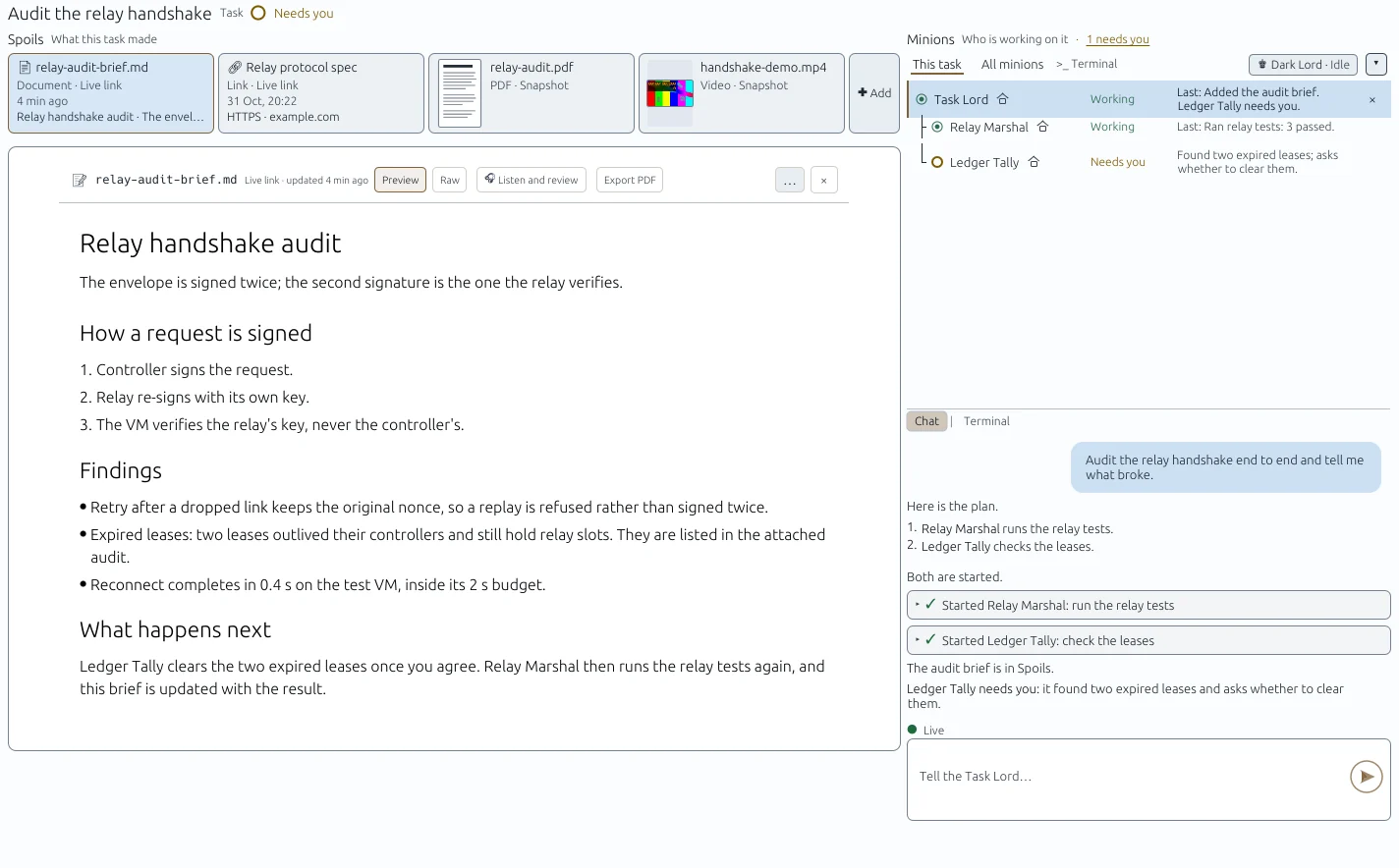
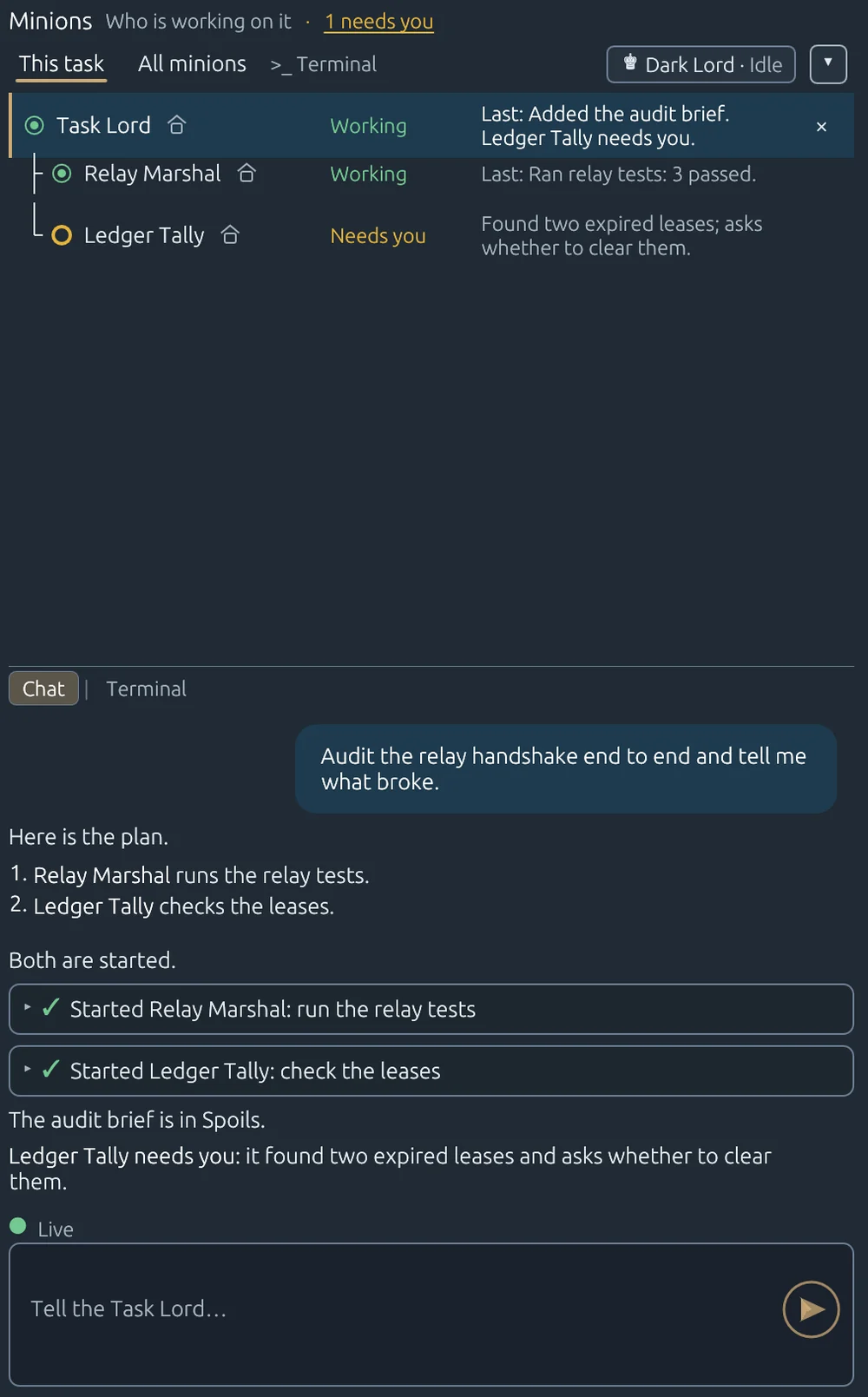
Choose Task Lord as the lead when you start a task and it takes charge of the row. It plans the work, summons the Grunts and Minions it needs, reads their output, tells them what to do next and stops them when they are finished. It directs; it does not do the work itself. You can give a task a Grunt or a Minion as its lead instead.
- The Task Lord is a chat: formatted replies, and a card for every agent it starts. Its terminal is one switch away.
- Minions shows the task's own family tree, each agent with its children beneath it and a one-line note of what it last did.
- Every other agent keeps a real terminal. Add a plain terminal to a task whenever you want one.
The Dark Lord rules the whole board
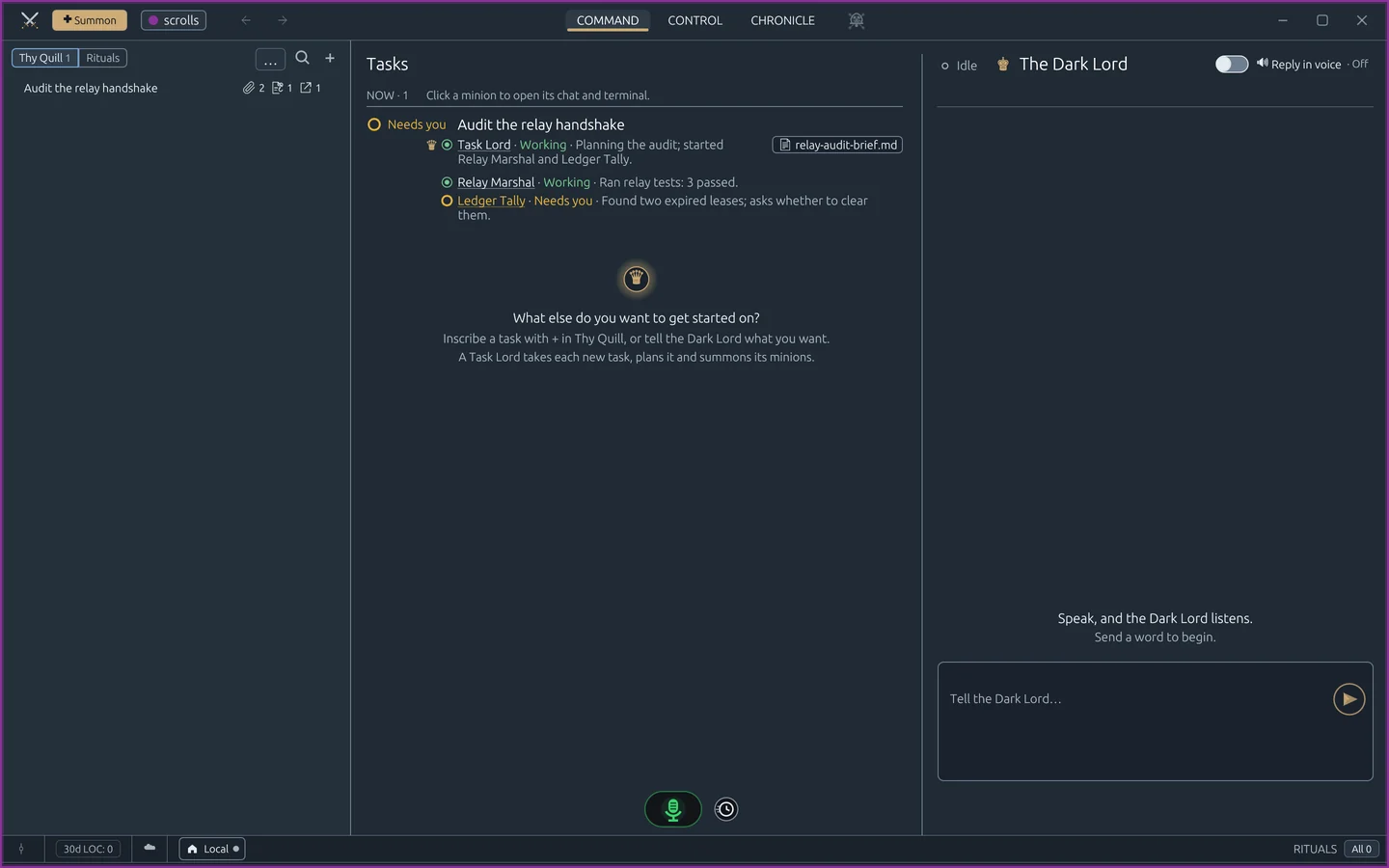
With no task open, home shows Tasks, what is running now and what just happened, beside the Dark Lord, the workspace's own agent.
- Ask it "what's stuck?" or "how is the export going?" It reads the board and its agents, and answers in a few lines.
- Tell it "code everything in backlog grooming" or "add a row for this under Backlog". It edits Thy Quill under the board's laws and hands each piece of work to that task's Task Lord, or to the agent you name. When you name rows by description, it lists exactly which rows it will start and waits for your yes.
- The moves the laws keep for you stay yours: it never completes or clears a row, or changes the laws, unless you ask for exactly that.
- Talk to it in voice notes, and switch on 🔊 Reply in voice to hear its answers.
The task keeps its Spoils and its story
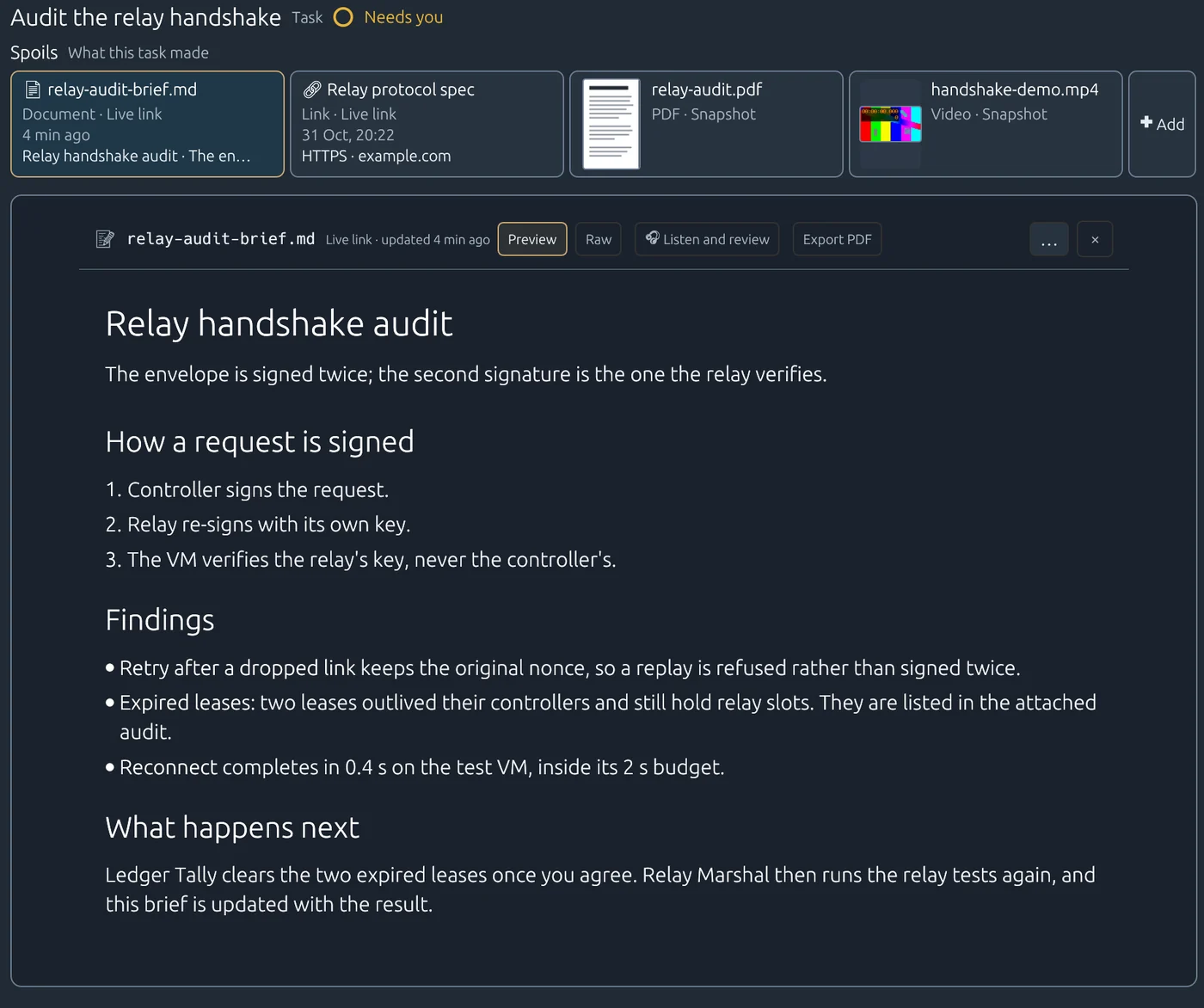
Everything a task needs and everything it made stays on the task.
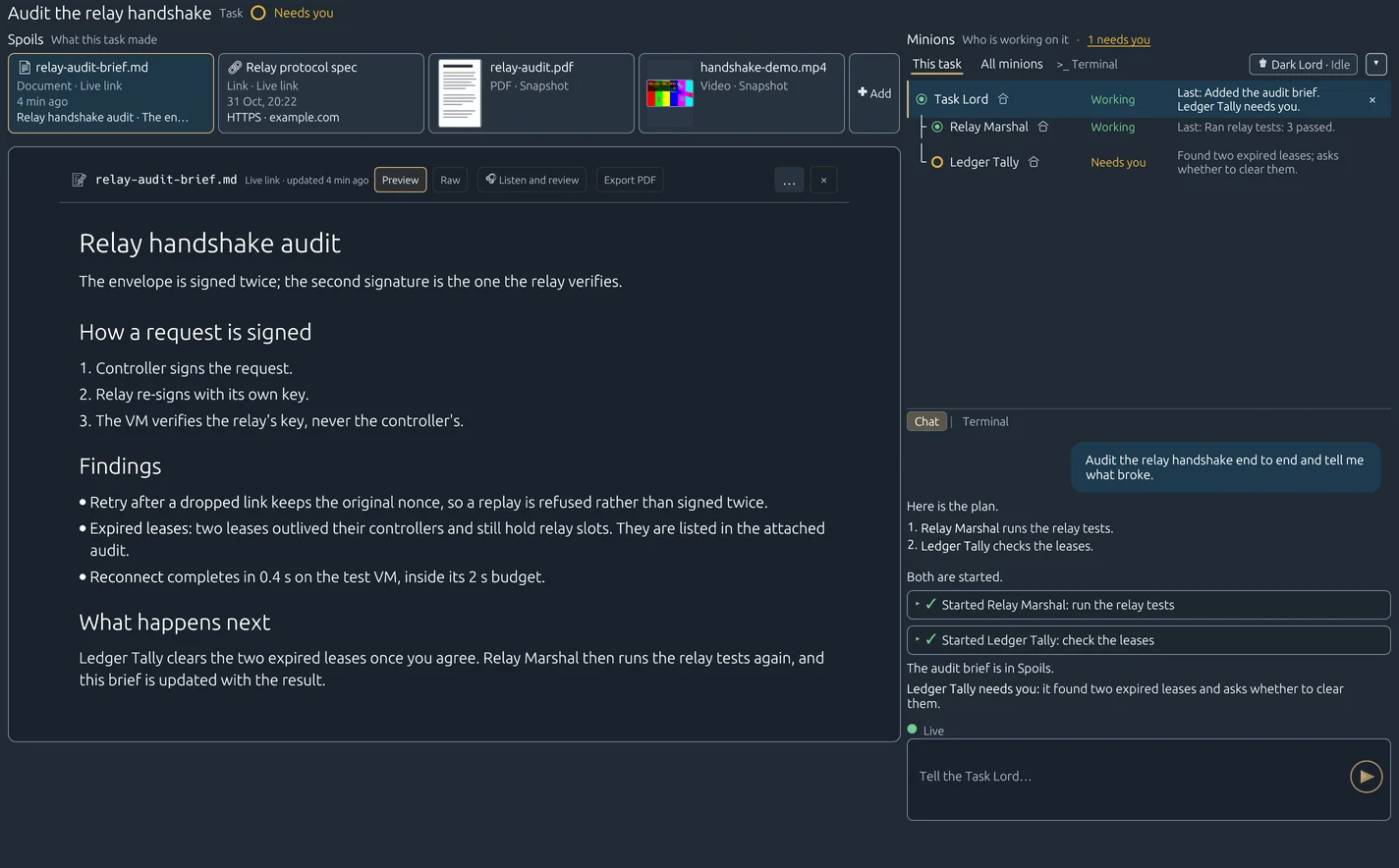
- Spoils are the task's materials: briefs, documents, links, PDFs, images, video and audio. Click one and it opens in the middle of the task with the agents beside it. A Task Lord puts each deliverable on the task the moment it exists, each card names who added it and when, and a Markdown brief can be read aloud with Listen and review or exported as a PDF.
- Earlier runs holds every past run: its original conversation, read-only, and Rally Again where the agent supports it. Anything that was not kept is shown as a gap, never made up.
- Keep task history in the cloud is on by default, so your phone sees the same story. Switch it off and history stays on your desktop.
Rituals are tasks that repeat
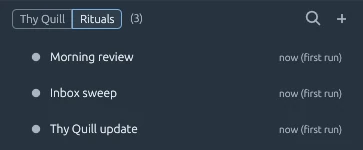
Thy Quill | Rituals sits at the top of the board. A Ritual is a scheduled task: a prompt, a schedule and an agent. It opens in the same view as any other task, with its agent working beside it and Run History underneath, and Dispatch Now runs it on demand.
Many tasks at once, one trunk
A repository can opt in to building tasks in parallel. A task's lead and every agent a Task Lord starts then work in their own copy of the repository, so unfinished work never collides. Agents say which files they plan to change, and two tasks hear about it when their plans overlap. When a change passes your repository's own landing check, the agent lands it on your trunk itself. If a landing fails twice for the same reason, Needs you comes up with the evidence. On your laptop a copy is deleted once no agent uses it, and all the copies stay inside a fixed disk budget.

Your phone is a full companion
Code Overlord on Android and iPhone is built around tasks too.
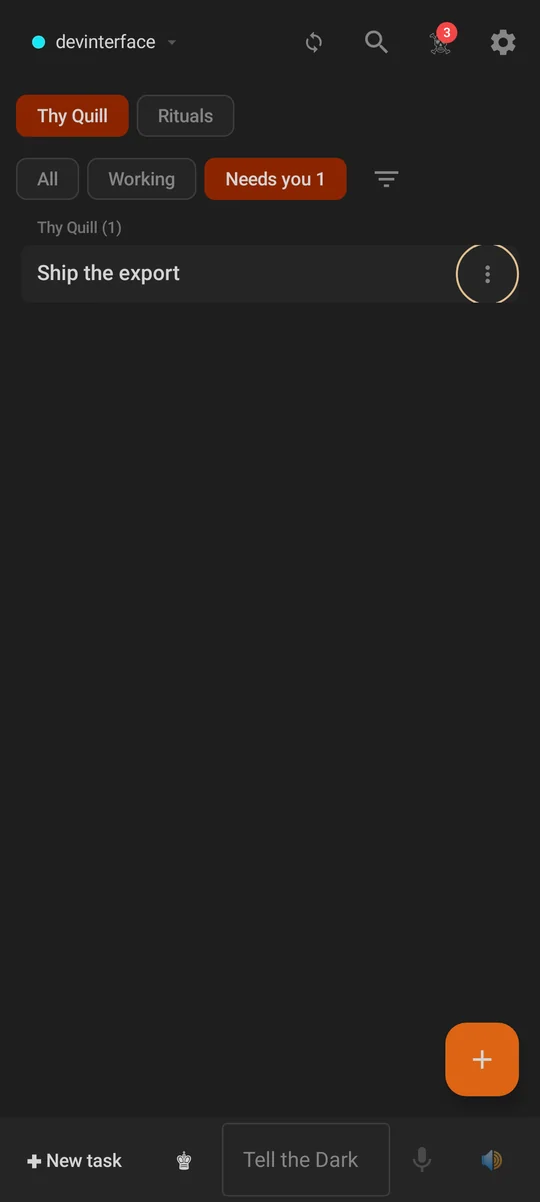
- Home opens on Thy Quill | Rituals, with All · Working · Needs you beneath it so you can see what is waiting for you.
- ✚ New task and the Dark Lord's bar sit at the foot of home: type Tell the Dark Lord…, or use its mic to send a voice note.
- Tap a row to open its task: its Spoils, its agents and its lead's chat, with the composer underneath. Swipe sideways to move between agents.
- A Needs you notification opens the exact agent that asked.
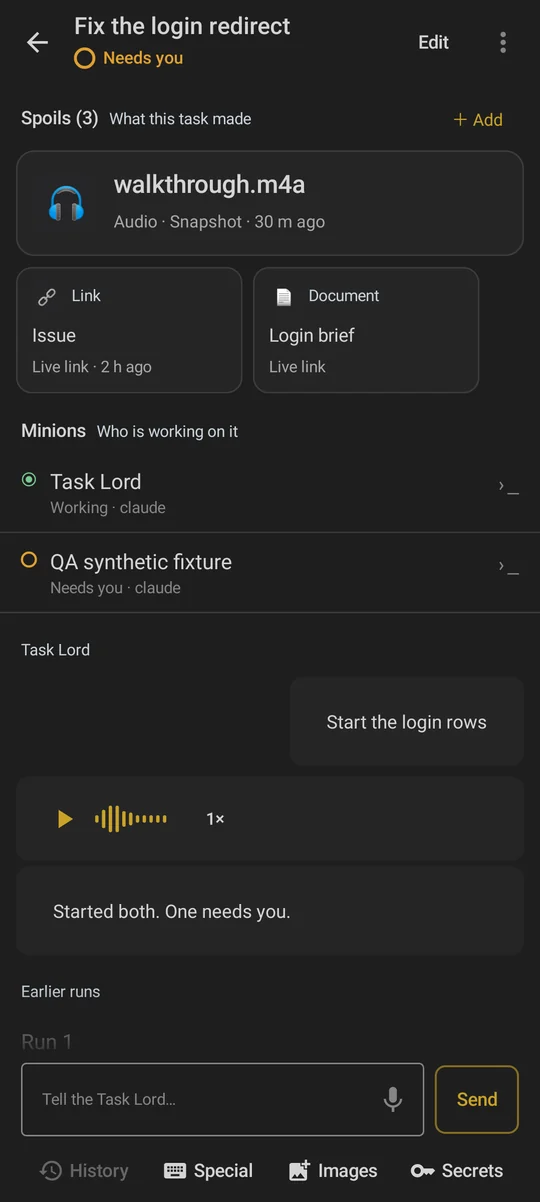
One status, everywhere
The same words and marks appear on the row, the task, home, Rituals and the phone: Working, Needs you, Idle, Failed and Ended. A task shows its most urgent agent on Thy Quill's existing row marker. Search filters by status, Primary+K jumps to any task with the ones that need you first, and Primary+P opens this task's files before anything else.
Agents also keep one order, the same on the desktop and the phone, and only you change it. Status, activity and which machine reported last never move a line.
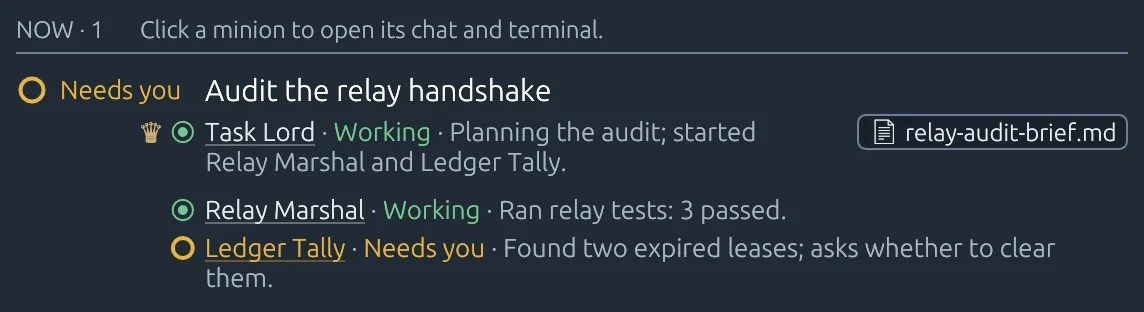
Silver Citadel, Dark and Light
The desktop app was redrawn for version 2, with the crossed swords as its emblem, in two appearances: Silver Citadel Dark and Silver Citadel Light. The phone apps stay dark. Status always comes with words and icons, never colour alone. Every message box has the same four options on the desktop and the phone: History · Special · Images · Secrets.