Workflow film · 1:00
Start your first agent team.
Real app recording · Original AI voice and presenter portrait · Captions included · Cuts and playback speed shown in the film. Narration uses Code Overlord’s theatrical English.
Read the transcript
Start with your project. From Summon, choose Open Stronghold, select its folder, then open the workspace. This is a prepared demonstration project.
Open Summon and choose Claude. Its own session appears inside Code Overlord, with the project still beside it.
Type directly into the agent. Here Claude reads the project description and confirms its working directory.
Use Summon again to add Codex to this workspace.
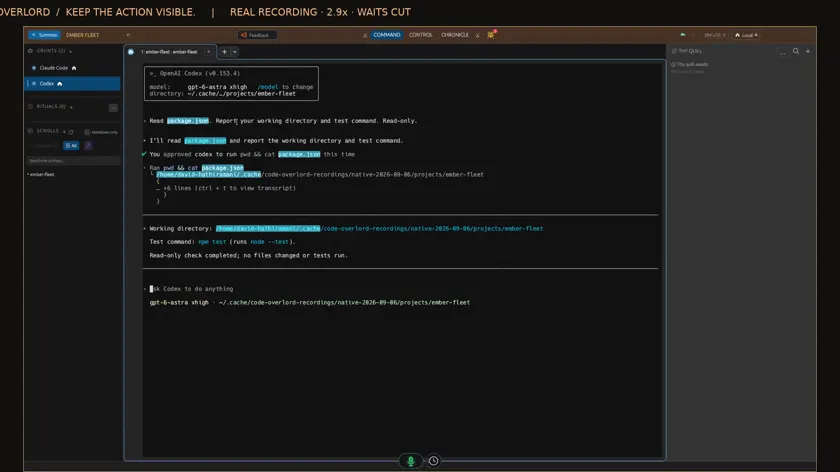
Codex gets its own conversation. Ask it to identify the project test command without changing any files.
This recording asks for a one-time approval to read the file. Approve that specific action, then see Codex report the directory and test command.
Choose Claude in the sidebar. Its original conversation is still here.
Choose Codex to return to its separate brief and result. Both agents stay accessible from the same project window.