2.0.15Out now: see what's new

Write the task.Watch it get done.

Code Overlord is a desktop workspace where your task list runs the work. Each task gets its own AI team, using Claude Code, Codex or Antigravity, and only moves on when it has proof.

The Dark Lord runs the team. You only ever talk to one.
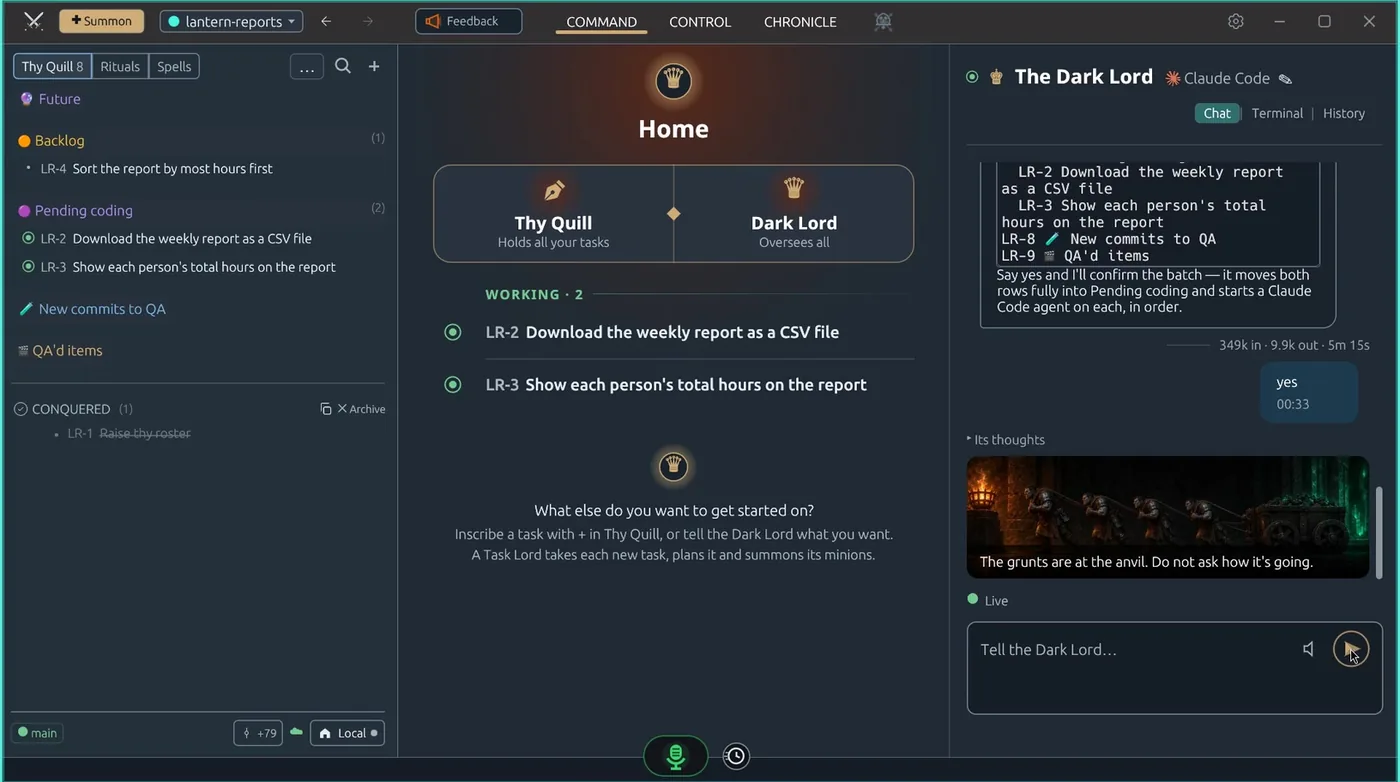
Code Overlord 2.0.11: Thy Quill on the left with two tasks in Pending coding, Home in the middle showing both working, the Dark Lord on the right
The real app, version 2.0.11. Thy Quill, on the left, holds every task.

How it works

Every piece of work is a task.Every task walks the same board.

  1. Future
  2. Backlog
  3. Pending coding
  4. New commits to QA
  5. QA'd items
  6. Conquered
  • You: write it, start it
  • Agents: build it, test it, prove it
  • You: sign it off
  1. 1Say it

    One sentence, typed or spoken.

    Tell the Dark Lord what you want, from your desk or your phone. No prompt engineering, no long brief.

    For example: “Let people download the weekly report as a CSV file.”
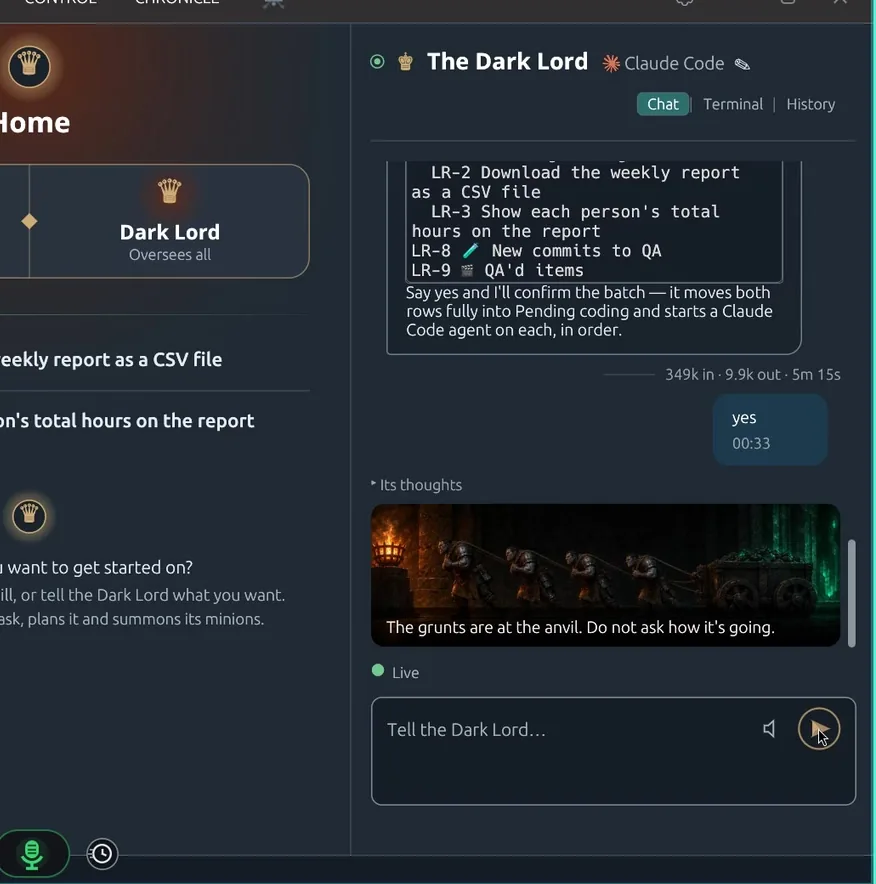
    The Dark Lord's conversation, listing the tasks it is about to start and asking for a yes
  2. 2It lands on the board

    Thy Quill holds the plan.

    Every request becomes a row on one board. Ideas wait in Future and Backlog. Nothing starts until you say so.
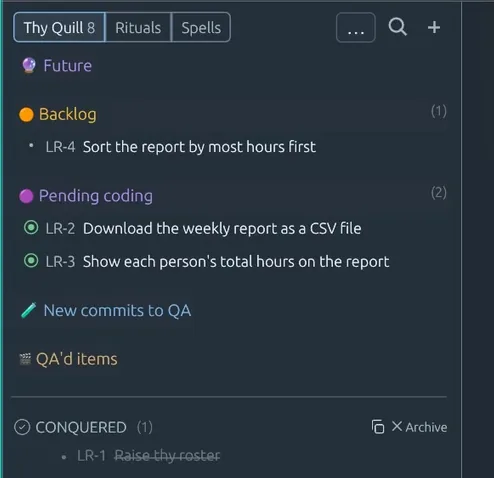
    Thy Quill: one task in Backlog, two in Pending coding, one Conquered
  3. 3Start it

    Drag it to Pending coding. A team takes it.

    Each task gets its own lead and workers. Many tasks move at once, and Home shows every one that's working.
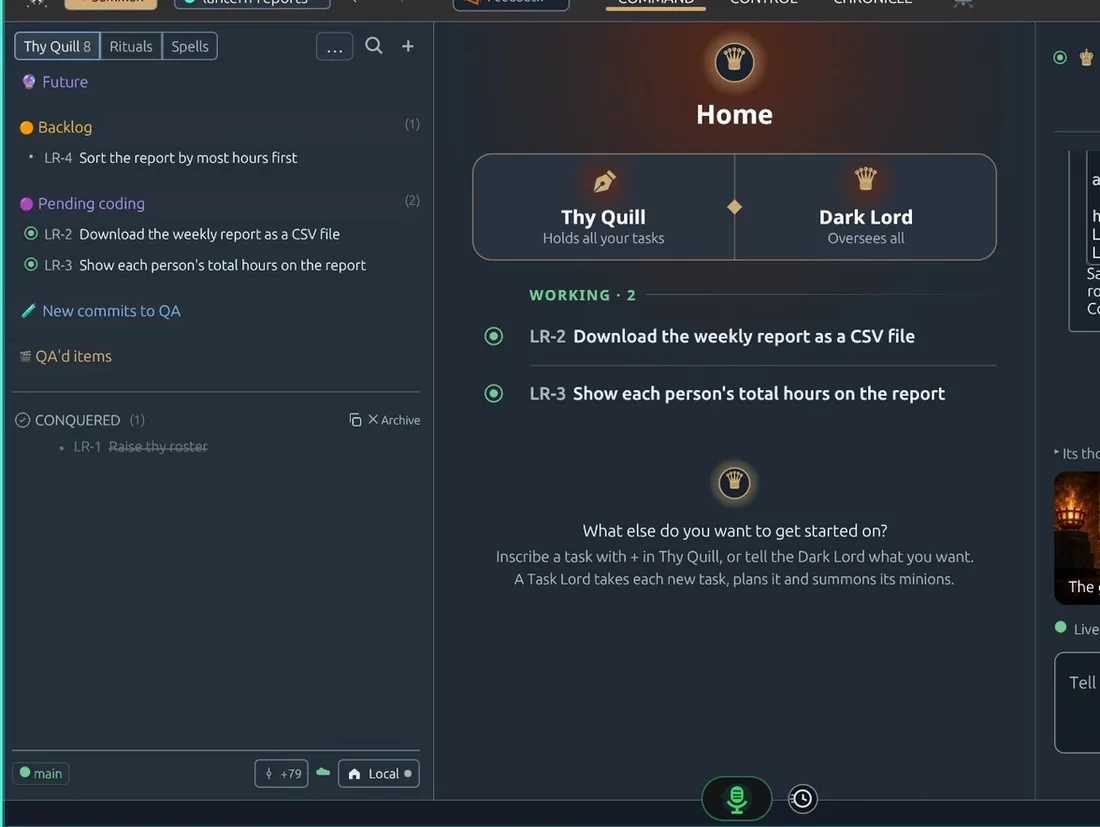
    Home showing two tasks working at the same time
  4. 4It proves itself

    Build. Green. QA.

    The code has to compile, every test has to pass, and a QA record checks each thing you asked for. The receipts land on the task, readable by anyone.
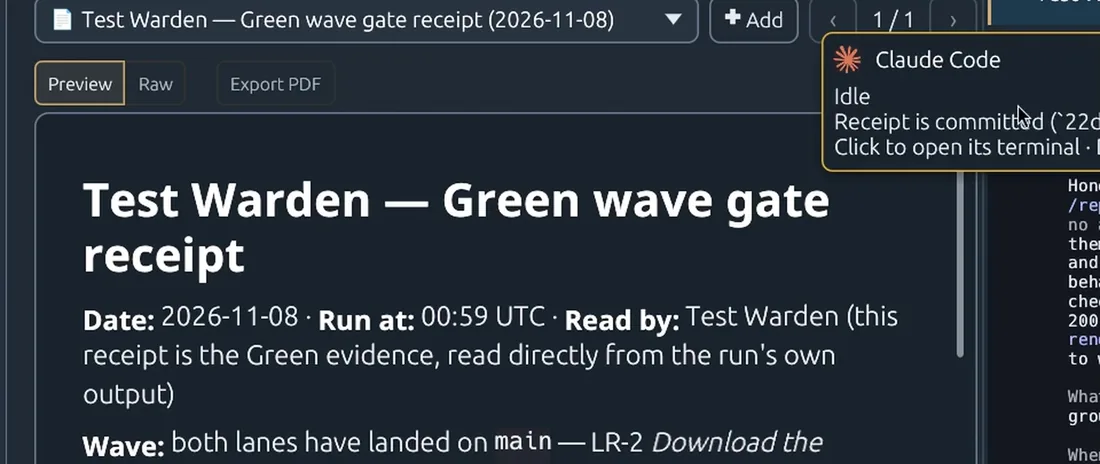
    The Test Warden's Green receipt, bound to the task
  5. 5You call it done

    Conquered when you say so.

    Try it yourself, then mark it Conquered. The final call is yours.
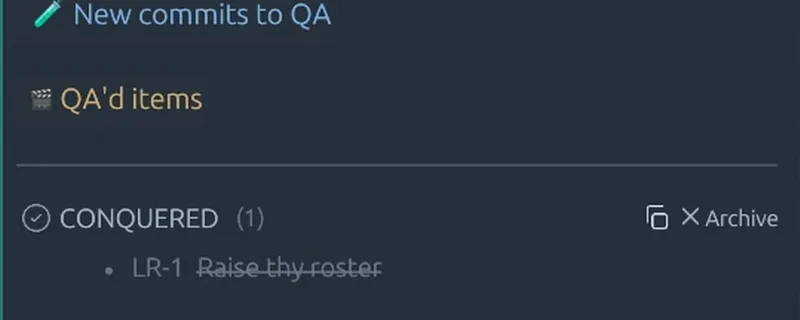
    The Conquered list in Thy Quill

A real day

Asked at 08:40. Conquered by 13:47.

  1. One line goes on the board: “Agents can make Spells through MCP.”
  2. The code lands on main, compiled and checked.
  3. Every test across the workspace is green.
  4. QA passes: 28 of 28 checks in the running app.
  5. Conquered, and cleared from the board.

From our own board, 7 November 2026, UK time. We build Code Overlord with Code Overlord.

Rituals do the chores

Scheduled tasks for the routine work: morning test runs, tidy-ups, daily reports.

Your phone keeps up

Check progress, answer questions and send a screenshot from Android or iPhone.

The agents you already use

Claude Code, Codex and Antigravity, side by side, one checking the other.

A customer story

Built with Code Overlord

Testimonials

What our customers say

  • Claude builds. Codex checks. I supervise. Yes, that's my mum calling.

    GarethCompiles everything. Including breakfast.
  • I scheduled agents all night. Then watched them. Sleep is a legacy feature.
    MayaDark mode. Darker sleep schedule.
  • I sent a screenshot from my phone. Finally, someone understands my screenshots. Ow. Cable.

    PriyaRubber duck has heard too much.
  • Ten agents. No meetings. Best LAN party I've ever organised. Oh. Crumbs.
    PeteCalls teamwork a LAN party.
  • One workspace. All my repos. My browser tabs remain a cry for help.

    Liz847 tabs. Knows where everything is.
  • I use Code Overlord. My friends think I'm weird. Both of them. Ah crap, I've spilt my tea.
    JohnLonely developer. Metallica fan.

What's new

Code Overlord 2.0.15

What's new in full, and every release
  • Windows: the first native Windows installer. It isn't signed yet, so Windows will warn you before it runs; the download page shows exactly what to press and the file's SHA-256 to check.
  • Send to your team: Send… now lists your teammates' shared workspaces under Your team, so you can hand a task straight to them, and they can accept or reject it from the desktop or phone.
  • Documents with diagrams now show them as pictures on Android and iPhone, so you can read a flowchart on your phone without opening the desktop.
  • Feedback takes one step: type or speak, and up to six screenshots of what you are looking at come along with it.

Hand over the list.

Join the waitlist

One email address. We write when your invite is ready, and not otherwise.

Linux macOSAvailable for Windows, Linux and macOS.