Workflow film · 1:41
Keep terminals, tests and saved tasks together.
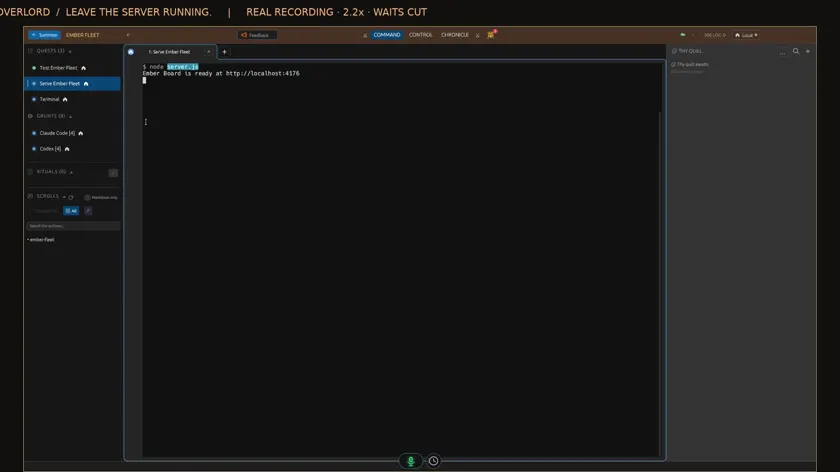
Real app recording · Original AI voice and presenter portrait · Captions included · Cuts and playback speed shown in the film. Narration uses Code Overlord’s theatrical English.
Read the transcript
Open Summon and choose Bash Terminal. The shell appears in Code Overlord, with your coding agents still available in the sidebar.
Run the project command directly in Bash. Here the directory is Ember Fleet, and all forty-two tests pass.
Ask the agent to save two Quests: one for tests, and one for the server. Each command has an explicit working directory in the workspace file.
Back in Summon, both saved commands are available by name. You can launch them again without retyping the command.
Choose Test Ember Fleet. It opens its own session and reports forty-two passing tests. The original Bash terminal stays separate.
Choose Serve Ember Fleet. The server starts in another session. Its output stays beside the tests and your agents.
Return to Claude and give it a small file check. The server keeps running while the agent works in its own conversation.
The agent’s answer is here. You can move between the conversation and your project commands without leaving Code Overlord.
Select the test session and open terminal search with Control F. Searching for pass highlights the result in this session.
Back in Bash, a request to the local server returns HTTP two hundred. The server was still available while we worked elsewhere in the client.
Select the server session and press Control C. That stops the server. The test output and other sessions remain available.
Return to the agent conversation. Your server, tests and coding work each have a place in the same workspace.