Workflow film · 1:11
Put browser feedback in your agent’s hands.
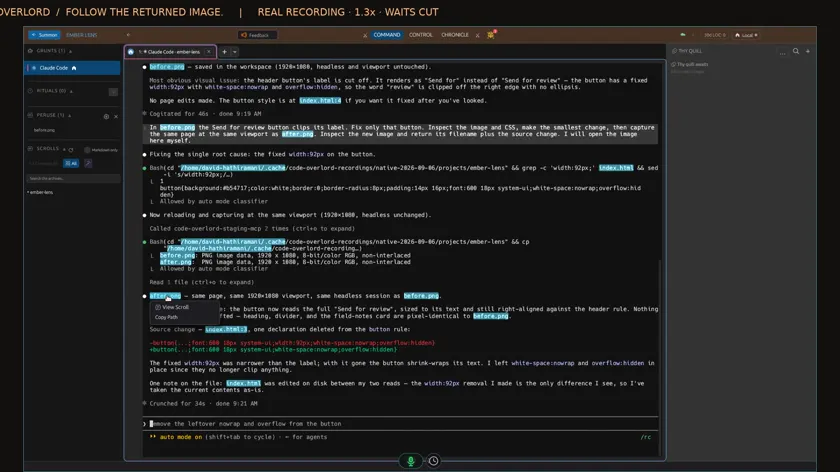
Real app recording · Original AI voice and presenter portrait · Captions included · Cuts and playback speed shown in the film. Narration uses Code Overlord’s theatrical English.
Read the transcript
Enable the browser connection in Code Overlord. This film uses a prepared local page. Setup and waits are shortened.
Chromium is already installed here. I select headless mode and apply the connection, so I can work through screenshots inside the client.
In Claude, I ask for a real page capture and an inspection of the image. The connection keeps its existing viewport.
Hover the returned filename and choose View Scroll. Here is the original image in Peruse. The button's label is cut off.
I return to the same agent and name that image in my feedback: fix this button, then capture the same page at the same size.
The agent makes the small change, inspects a fresh capture and returns its filename. Both images are nineteen twenty by ten eighty.
I hover the verification filename and choose View Scroll again. The result opens inside Code Overlord.
Compare the two captures in Peruse. The full label is now visible. The screenshot, feedback and verification stay connected to the same agent.