Workflow film · 1:03
Connect the tools your agents need.
Real app recording · Original AI voice and presenter portrait · Captions included · Cuts and playback speed shown in the film. Narration uses Code Overlord’s theatrical English.
Read the transcript
Open the tool connection settings in Code Overlord, then Add server. I give this documentation connection a name. Setup and waits are shortened.
Choose Remote URL and enter the official Microsoft Learn address. This public documentation service needs no account.
Keep propagation enabled and select the current workspace. This connection will be available to agents launched for Ember Lens.
The preview shows the configuration for Claude. Review the service address before saving the connection.
Click Inscribe. Code Overlord saves the connection and prepares the agent configuration.
I launch a fresh Claude session here, so it starts with the newly configured connection.
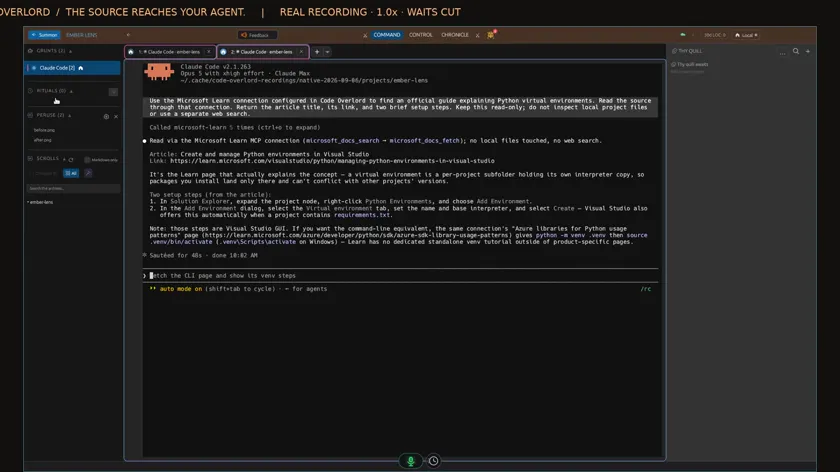
I ask for an official guide through Microsoft Learn. Watch the agent call that connection and retrieve the document.
The reply includes the article title, source link and a short summary. The connection is now doing useful work inside the agent conversation.