Workflow film · 2:11
Your board is the plan.
Real app recording · A calm narrator in plain English · English captions · Shortened stretches are marked in the film.
Read the transcript
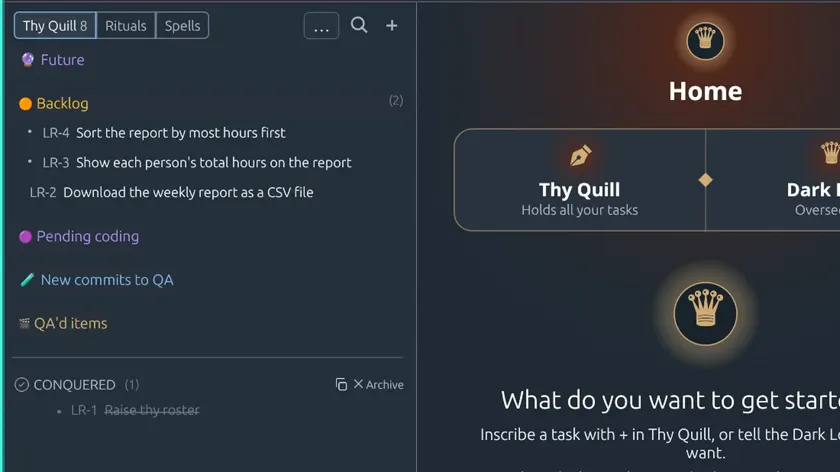
Code Overlord opens on Home. Thy Quill, on the left, holds every task in this workspace.
Press plus to inscribe a task. A short line is enough. Here we add three small changes to a demo report page.
We ask the Dark Lord to set the board up the way its laws describe. It takes a moment to start the first time.
It adds the buckets every task moves through: Future, Backlog, Pending coding, New commits to QA, and QA'd items.
Our three tasks go into Backlog.
The Dark Lord confirms that nothing was started: Backlog is parked, and work begins only when you move a task on.
When you're ready, drag a task into Pending coding. That move tells the Dark Lord the task is ready to build. We move two tasks, so they can be worked on side by side.