Workflow film · 1:29
Choose how this workspace works.
Real app recording · A calm narrator in plain English · English captions · Shortened stretches are marked in the film.
Read the transcript
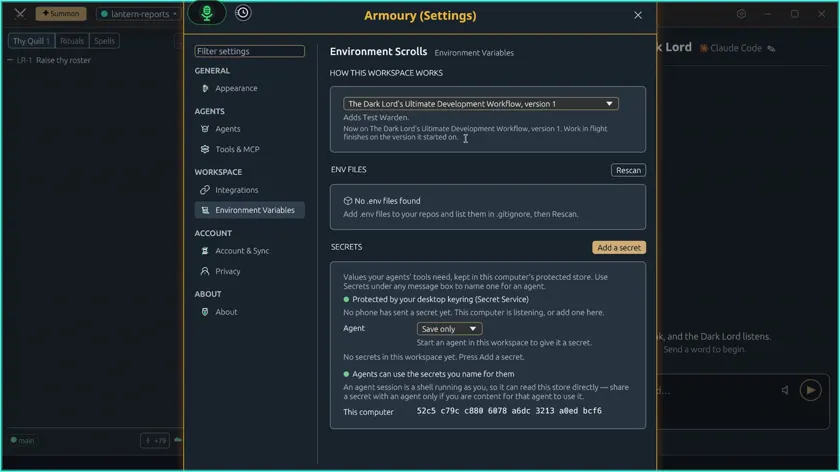
Each workspace in Code Overlord can choose how its work runs. Open the Armoury, the app's settings, from the gear menu.
Under How this workspace works, the default is No workflow. Choose The Dark Lord's Ultimate Development Workflow. It adds a Test Warden, and any work already in flight finishes on the version it started with.
The Test Warden now appears in this workspace's roster, reporting to the Dark Lord. It owns the whole test run, so the agents writing code don't each have to.
The workflow brings its laws: the buckets a task moves through, and three phases. Build, where the code must compile. Green, where every test must pass. And QA, where evidence is recorded for each task.
You can amend the laws. Here we add this project's test command, so the Test Warden knows exactly what to run.
Seal the laws to save them.
The Armoury now notes that this workspace's laws differ from the package. Your edit stays yours, and it isn't part of the package.