Workflow film · 1:02
Your agent writes a document. It appears beside the work.
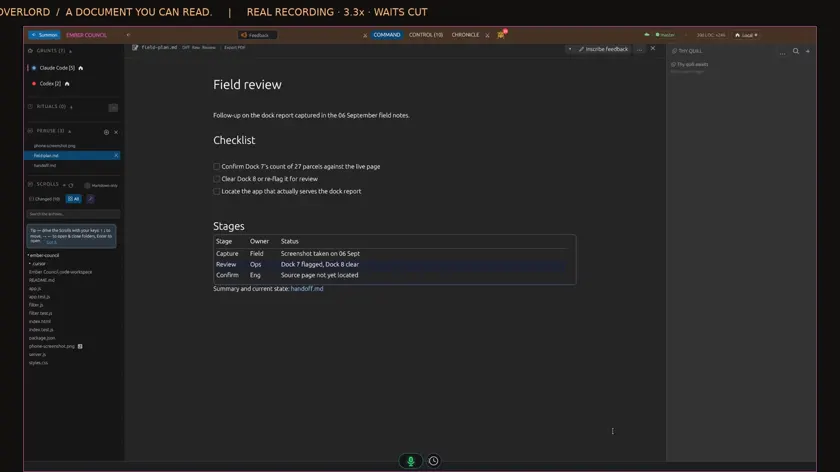
Real app recording · Original AI voice and presenter portrait · Captions included · Cuts and playback speed shown in the film. Narration uses Code Overlord’s theatrical English.
Read the transcript
Ask Claude to write a short plan and a linked handoff document. I leave the conversation open. Setup and waits are shortened.
Watch the sidebar as the files are saved. Both documents appear in Peruse, while my conversation keeps its place.
One click opens the plan as a formatted document, with headings, a checklist and a table. It is all inside Code Overlord.
The handoff is linked from the plan. I follow that link and choose Open in Peruse to read the other document.
Raw shows the Markdown behind the document. I can switch back to the formatted view whenever I want.
Back in the same conversation, I ask Claude to tick the first item and update the final status.
The existing preview marks the document as updated. The first item is checked, and the status now says Ready for review.
On my phone, I open Scrolls and choose the same plan. The formatting and updated values are here too. No hunting through folders.