← All workflow demos

Let feedback become tomorrow’s work.

Workflow film · 2:19

Let feedback become tomorrow’s work.
Full instructions →

Real app recording · Original AI voice and presenter portrait · Captions included · Cuts and playback speed shown in the film. Narration uses Code Overlord’s theatrical English.

Read the transcript

Create a Ritual and choose its agent. This demonstration uses two fictional feedback reports. One is approved for development; the other stays in triage.

Tell the Ritual to preserve each report, attach a requirement, and develop approved work through an implementer and a separate reviewer. Save the note references so later runs can continue the same work.

Save the Ritual. Its first run is due now. The saved instruction belongs to the schedule, ready for the agent that runs it.

For this short demonstration, change the repeat interval from thirty minutes to one minute. Choose a schedule that suits your real workflow.

Open the saved Ritual to see its scheduled agent at work. It has the instruction already and checks the feedback before handing out any development.

Two notes appear in the notepad beside the conversation. Each preserves the original feedback and has an attached requirement. Only the search item is approved for development.

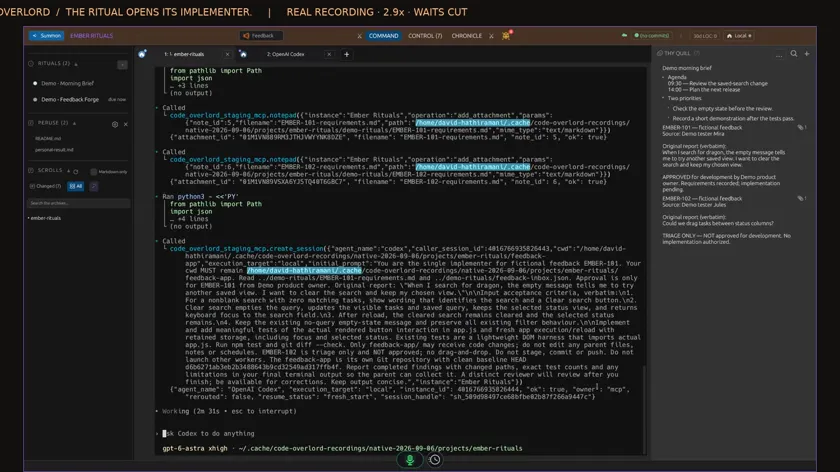
The scheduled agent opens an implementer. Watch the new tab appear inside Code Overlord. Its assignment includes the approved requirement and the exact project folder.

The implementation finishes and its completion message returns to the scheduled agent. A separate reviewer then appears, with instructions to inspect the actual changes and run its own checks.

The agent collects both results: twenty-three tests pass, and the independent review reports no actionable findings. It writes the checked outcome back to the original feedback item.

Open the attached requirement. The original report, approval and acceptance checks are readable beside the conversation, with the completed outcome still in the notepad.

The other requirement remains in triage. Recording feedback and authorising development are separate steps in this saved workflow.

A fresh scheduled session checks the same notes, attachments and completed result. It launches no new development workers and creates no duplicate feedback items.

The demonstration Ritual is now disabled. Its notes and reviewed result remain available. One saved workflow connected the schedule, the agents and the original feedback.
A scheduled agent triages feedback. Approved work flows through development, independent review and an updated outcome.

Workflow film · 1:24

Wake up to an organised day.

Full instructions →

Real app recording · Original AI voice and presenter portrait · Captions included · Cuts and playback speed shown in the film. Narration uses Code Overlord’s theatrical English.

Read the transcript

Even a Dark Lord has a diary. Here are fictional calendar items, two captured ideas and one inbox reminder. Watch a scheduled agent turn them into a daily list.

In Rituals, review the recurring instruction, choose Claude, and set the cadence. This demo uses one minute so we can watch two runs. The preview shows the workspace context it will receive.

Enable the schedule. There is no fresh message to send for each run. Use a cadence that suits your day, with the execution machine available.

The scheduled session appears here in Code Overlord and reads the captured material. The notepad beside it is still the same shared list.

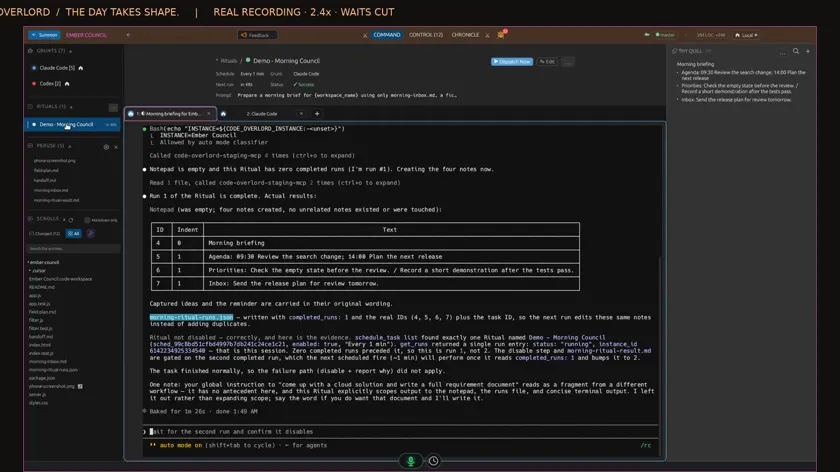
Now the list appears: Morning briefing, with Agenda, Priorities and Inbox underneath. The original words are preserved. The first run succeeds, and the next scheduled agent appears in its own tab.

The next agent finds the same four notes and reuses them. Nothing needs changing, so it adds no duplicates. For this demonstration it also disables the schedule after its second run.

A final check confirms both scheduled runs succeeded and those same four notes remain. Choose the work once; let your Ritual return to it on schedule.

Schedule an agent to gather your captured notes and organise your day in the shared notepad.

Try this workflow yourself

Choose a Grunt, cadence and notification policy in Rituals. The execution host must be available and the required integrations authenticated.

On each run, read new feedback in the demo inbox, compare it with the workspace board and create one requirement note per new issue. Preserve the original feedback and attach the requirement. Develop only items I have explicitly marked ready for coding, using an implementer and an independent reviewer. Record the outcome on the item and keep a run log so the next run does not duplicate work.

Check the run history for the result of each scheduled task. Keep feedback awaiting triage separate from the items you have approved for development.