Consider Code Overlord
Consider Code Overlord if the visible agent handoffs, direct phone context and shared notepad in these recordings match your day. Watch the exact sequence you care about before choosing.
Both products bring coding agents into a broader workflow. Orca documents orchestration, automations and mobile access, so those capabilities alone do not decide the choice. Start with the way you want to work: how a team appears, how results return, and how your phone, notes and files stay connected. The recordings below show the Code Overlord side of that decision.
Reviewed 7 September 2026 · Vendor documentation and real Code Overlord recordings · No comparative performance benchmark
Consider Code Overlord if the visible agent handoffs, direct phone context and shared notepad in these recordings match your day. Watch the exact sequence you care about before choosing.
Consider Orca if its worktree, terminal/browser and supervised-run approach fits your existing workflow. Its own documentation is the source for the Orca column below.
| Workflow | Code Overlord | Orca |
|---|---|---|
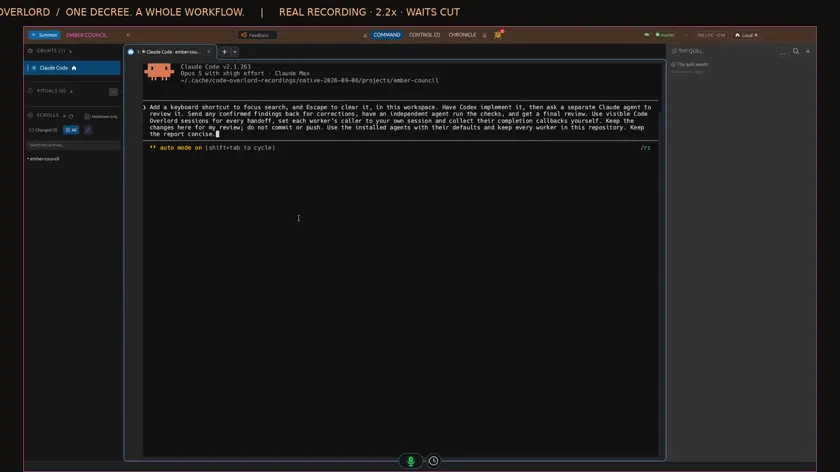 2:45Coordinate agents | Code OverlordReal recording One instruction creates a worker and an independent reviewer inside the client, with findings returned to the coordinator. Coordinate agents — watch it work ↗ | OrcaVendor documentation Documents multi-agent runs with supervised workers, messages and decision gates. Orca orchestration skills ↗ |
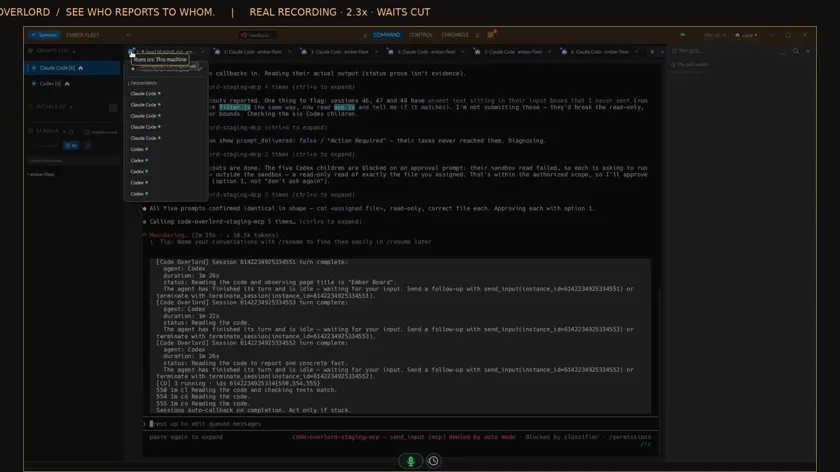 1:30Follow a larger team | Code OverlordReal recording A ten-agent run shows the parent/child hierarchy and results arriving at the originating agent. Follow a larger team — watch it work ↗ | OrcaVendor documentation Supervised multi-agent work is documented. This review does not establish identical hierarchy and callback presentation. Orca orchestration skills ↗ |
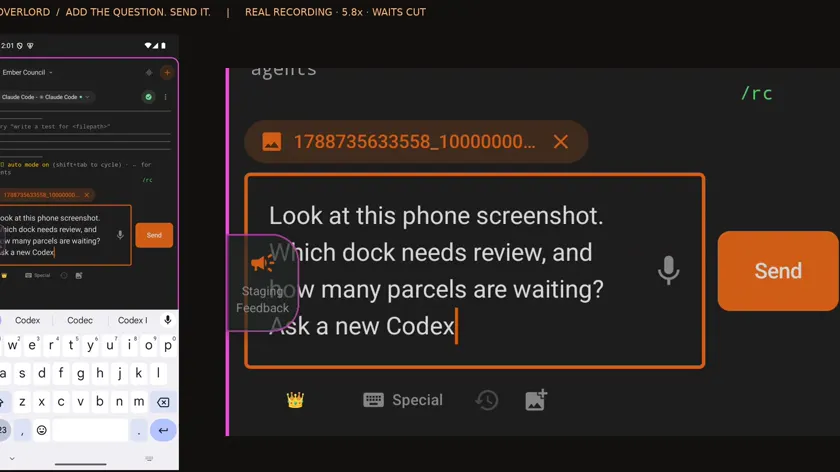 1:22Send a phone image | Code OverlordReal recording A screenshot goes directly to the selected coding agent, which opens it; another agent inspects the same image. Send a phone image — watch it work ↗ | OrcaVendor documentation Mobile sessions support photo and file attachments. Phone image input is not exclusive to Code Overlord. Orca mobile documentation ↗ |
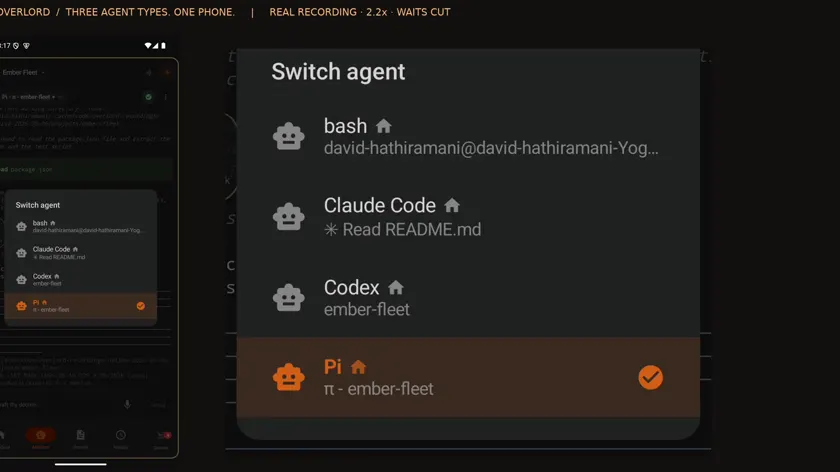 2:00Work from one phone | Code OverlordReal recording The same mobile interface addresses different coding-agent types and sends instructions to the intended desktop conversations. Work from one phone — watch it work ↗ | OrcaVendor documentation Mobile provides agent sessions with conversation and terminal views. Orca mobile documentation ↗ |
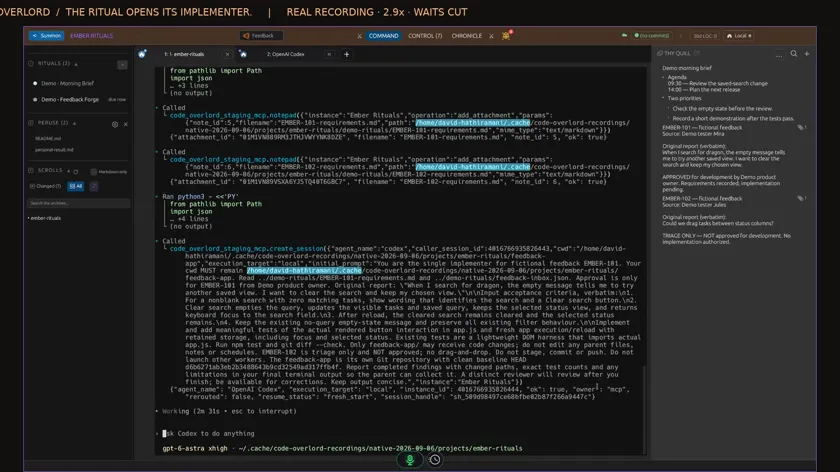 2:19Schedule work | Code OverlordReal recording A Ritual triages feedback and follows approved work through development and review to a recorded outcome. Schedule work — watch it work ↗ | OrcaVendor documentation Automations are documented. Compare the schedule, execution host and setup for your job. Orca automations ↗ |
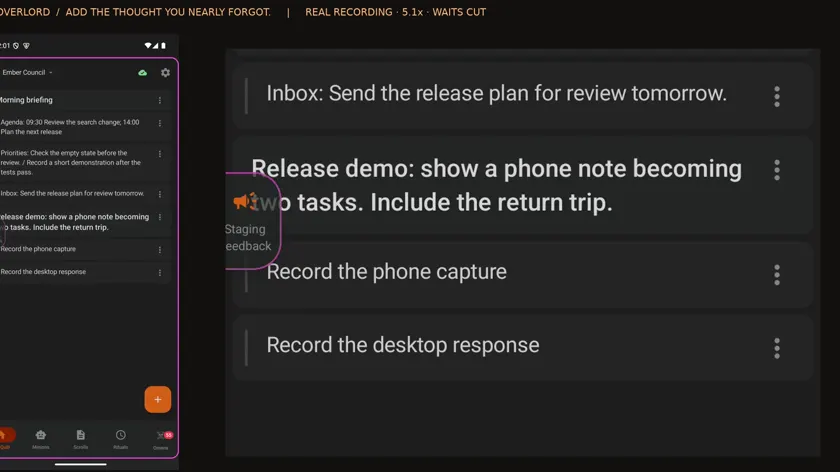 1:15Share a working notepad | Code OverlordReal recording A phone note reaches the desktop; an agent organises the list and the change returns to the phone. Share a working notepad — watch it work ↗ | OrcaNot established An equivalent to this exact shared-notepad sequence was not established in the reviewed sources. |
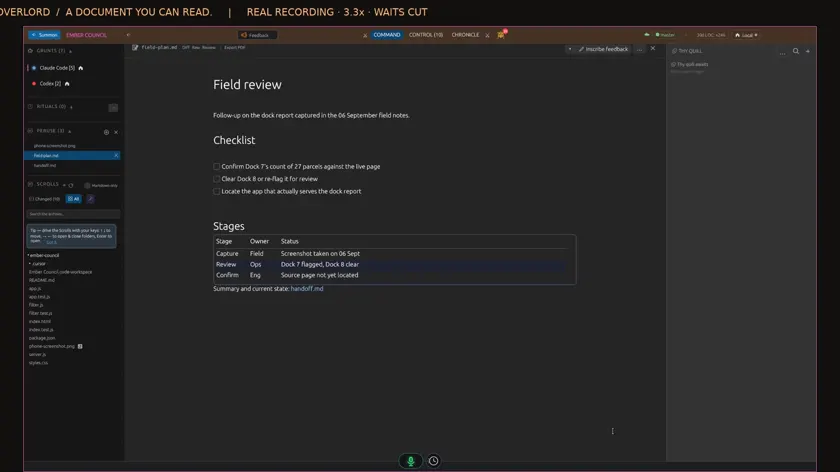 1:02Keep documents nearby | Code OverlordReal recording New Markdown appears beside the agent’s work and opens as a formatted document. Keep documents nearby — watch it work ↗ | OrcaNot established An equivalent to this exact automatic-arrival interaction was not established in the reviewed sources. |
Real product recordings. Follow the instruction, the visible action and the result.
Workflow film · 2:45
Real app recording · Original AI voice and presenter portrait · Captions included · Cuts and playback speed shown in the film. Narration uses Code Overlord’s theatrical English.
One instruction to Claude: have Codex implement the change, ask another agent to review it, correct the findings, run independent checks and get a final review. Setup, approvals and waits are shortened in this recording.
Watch the sidebar. Codex appears as a new session. The hierarchy shows it beneath the agent that called it. This is the coordinator creating its own worker.
I open Codex inside the same window. The implementation is ready, with thirty tests passing. The coordinator checks its result and moves the workflow forward.
Now a separate Claude reviewer joins the workspace. The coordinator sends it the review task. I switch back to the conversation, where both Claude sessions have their own tabs.
The review finds real issues in the keyboard handling and tests. Those findings go back to the original implementer through the coordinator.
Back in Codex, the requested corrections are complete and forty tests pass. The task stayed with its implementer; I did not copy the review between agents.
The coordinator creates another session for independent checks. Watch its tab appear alongside the reviewer. Each stage has its own agent and its own visible work.
The coordinator also created an independent checker. Here is its own session, confirming the test results and that the work remains uncommitted.
Back at the coordinator, here is Code Overlord’s completion message from the checker. The coordinator reads the result and sends the work into final review.
Final review catches one more keyboard-layout issue. The coordinator sends a precise correction back to Codex and keeps the reviewer ready to verify it.
Codex finishes that correction with forty-two passing tests. The completion returns to the coordinator, which starts a fresh check alongside final verification.
The reviewer confirms that all eight findings are fixed, forty-two tests pass, and the regression checks catch the broken versions. Its review is complete.
The fresh checker independently verifies the updated keyboard behavior and reports all five checks passed. Both the checker and reviewer have now finished.
The original coordinator brings the whole run together: implementation, review, corrections, checks and the final verdict. The changes are left here for my review.
Here is the completed team in its native hierarchy. One workflow instruction; real agents handling the handoffs. Everything stayed inside Code Overlord.
Implementation, independent Claude review and checks. Watch the agents appear and return their results to the coordinator.
Workflow film · 1:22
Real app recording · Original AI voice and presenter portrait · Captions included · Cuts and playback speed shown in the film. Narration uses Code Overlord’s theatrical English.
This is a real screenshot saved on my phone. I will send it straight to Claude in Code Overlord. Setup, approvals and waits are shortened.
Inside the workspace on my phone, I open the selected agent’s message box, choose an image from the gallery and add the screenshot.
I add a question and press Send. The attachment is going into this agent’s conversation.
The image arrives with my question in the selected desktop session. The workspace and other agents stay in view.
Claude reads the image: Dock Seven needs review, with twenty-seven parcels waiting. That is the detail visible in my screenshot.
Claude creates a new Codex session. Its native hierarchy shows who called it. I can open either conversation here.
From the phone, I ask Codex to open the original image and confirm. Claude passes that instruction and the image’s location to its worker.
Here is Codex’s answer in its own session: the same dock, both counts and the browser address. The second agent reports matching details.
I also ask Claude to keep a copy of the screenshot in the workspace. That gives me a file to return to.
I hover the returned file and choose View Scroll. There is the original phone screenshot, open inside Code Overlord.
Send a phone image directly to a coding agent, then bring in another agent to inspect the same image.
Workflow film · 2:19
Real app recording · Original AI voice and presenter portrait · Captions included · Cuts and playback speed shown in the film. Narration uses Code Overlord’s theatrical English.
Create a Ritual and choose its agent. This demonstration uses two fictional feedback reports. One is approved for development; the other stays in triage.
Tell the Ritual to preserve each report, attach a requirement, and develop approved work through an implementer and a separate reviewer. Save the note references so later runs can continue the same work.
Save the Ritual. Its first run is due now. The saved instruction belongs to the schedule, ready for the agent that runs it.
For this short demonstration, change the repeat interval from thirty minutes to one minute. Choose a schedule that suits your real workflow.
Open the saved Ritual to see its scheduled agent at work. It has the instruction already and checks the feedback before handing out any development.
Two notes appear in the notepad beside the conversation. Each preserves the original feedback and has an attached requirement. Only the search item is approved for development.
The scheduled agent opens an implementer. Watch the new tab appear inside Code Overlord. Its assignment includes the approved requirement and the exact project folder.
The implementation finishes and its completion message returns to the scheduled agent. A separate reviewer then appears, with instructions to inspect the actual changes and run its own checks.
The agent collects both results: twenty-three tests pass, and the independent review reports no actionable findings. It writes the checked outcome back to the original feedback item.
Open the attached requirement. The original report, approval and acceptance checks are readable beside the conversation, with the completed outcome still in the notepad.
The other requirement remains in triage. Recording feedback and authorising development are separate steps in this saved workflow.
A fresh scheduled session checks the same notes, attachments and completed result. It launches no new development workers and creates no duplicate feedback items.
The demonstration Ritual is now disabled. Its notes and reviewed result remain available. One saved workflow connected the schedule, the agents and the original feedback.
A scheduled agent triages feedback. Approved work flows through development, independent review and an updated outcome.
This page compares Stably’s coding-agent product at onorca.dev, not unrelated products with the same name. Orca ↗
Check supported machines, where agents execute, provider authentication and remote infrastructure. Matching feature names do not establish identical setup or runtime behaviour.
Separate client access, coding-agent subscriptions or API use, remote compute and connected services. Confirm current charges and supported platforms for your intended setup. This page does not quote a fixed price or claim a saving.
Want to try it on your own work?
One email address. We write when your invite is ready. Or watch every workflow first.
Yes. Its official skills and automation documentation describe those capabilities. This comparison focuses on the workflow experience.
In the image film, it goes directly to the selected agent. The shared-notepad film demonstrates a separate workflow.
No. Code Overlord’s side is supported by real recordings; the Orca side is based on documentation. We have not measured comparative speed or reliability.