Consider Code Overlord
Consider Code Overlord if you regularly move between agents, devices and repositories and want to follow the handoffs in one client. The films show the specific interactions it adds.
Your coding agent does the coding. Code Overlord gives you a shared place to coordinate agents, follow their work and bring in context from your phone, notes and files. Claude Code, Codex and other tools have powerful capabilities of their own. This is a choice about the surrounding workflow as well as the agent.
Reviewed 7 September 2026 · Vendor documentation and real Code Overlord recordings · No comparative performance benchmark
Consider Code Overlord if you regularly move between agents, devices and repositories and want to follow the handoffs in one client. The films show the specific interactions it adds.
A direct CLI can fit when your existing terminal setup covers the job. Also consider the agent vendor’s wider app offering, which may already provide mobile, scheduling or parallel-work features.
| Workflow | Code Overlord | coding CLIs |
|---|---|---|
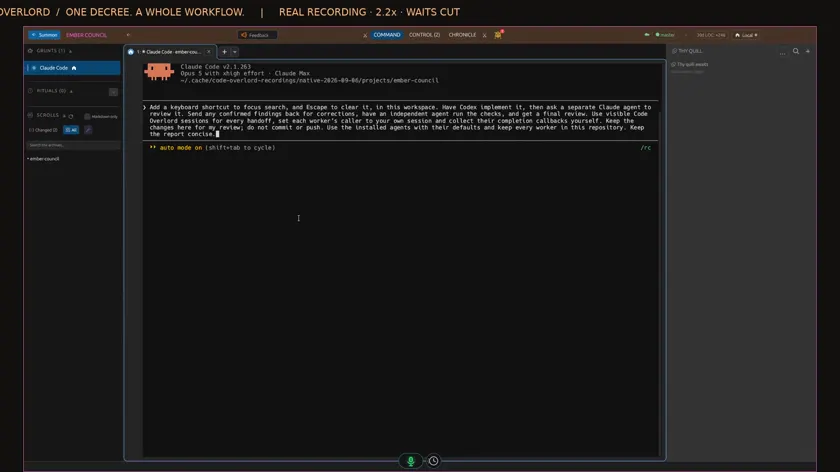 2:45Delegate and review 2:45Delegate and review | Code OverlordReal recording One instruction coordinates an implementer, reviewer and returning results in visible sessions. Delegate and review — watch it work ↗ | coding CLIsVendor documentation Claude Code documents agent teams with coordination and messaging. Delegation itself is not exclusive. Claude Code teams ↗ |
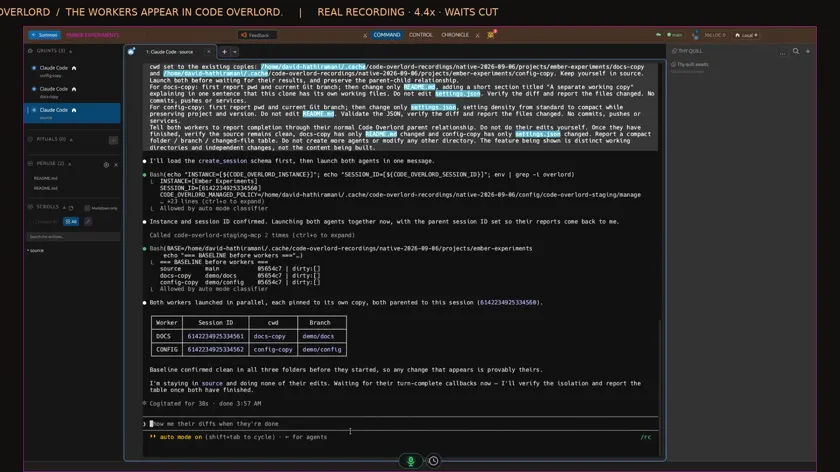 1:45Parallel working copies 1:45Parallel working copies | Code OverlordReal recording Separate tasks run in independent working copies inside the client. Parallel working copies — watch it work ↗ | coding CLIsVendor documentation Codex’s wider app experience includes worktree chats, mobile Remote access and scheduled work. Codex worktrees ↗ |
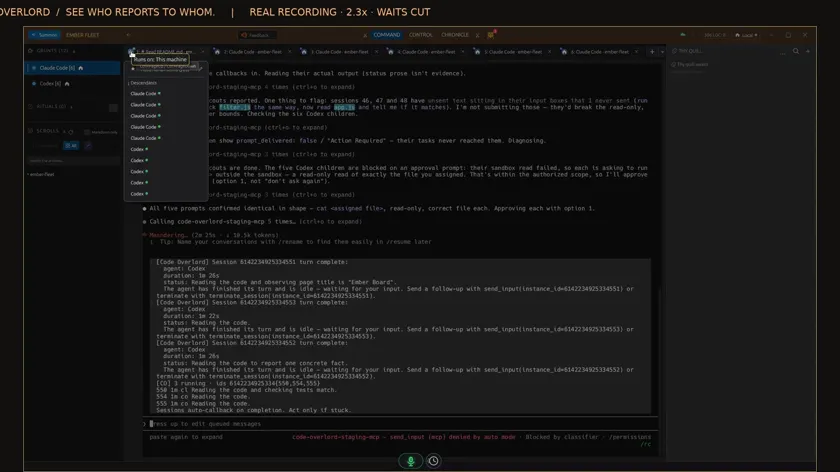 1:30Use specialists 1:30Use specialists | Code OverlordReal recording Ten workers return real results through a visible hierarchy. Use specialists — watch it work ↗ | coding CLIsVendor documentation OpenCode documents primary agents and subagents. Compare the surrounding session and reporting experience. OpenCode agents ↗ |
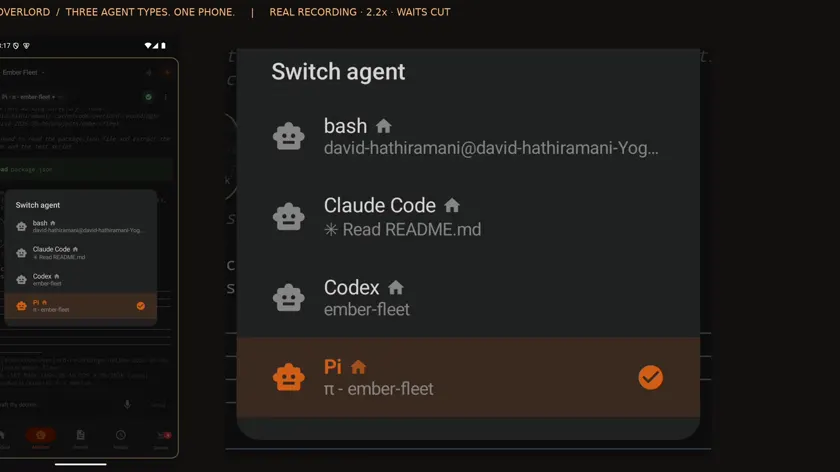 2:00Follow up from a phone 2:00Follow up from a phone | Code OverlordReal recording One phone interface selects different coding-agent types and addresses their intended sessions. Follow up from a phone — watch it work ↗ | coding CLIsVendor documentation Claude Code Remote Control continues local Claude sessions from another device. Compare that with managing different agent types. Claude Code Remote Control ↗ |
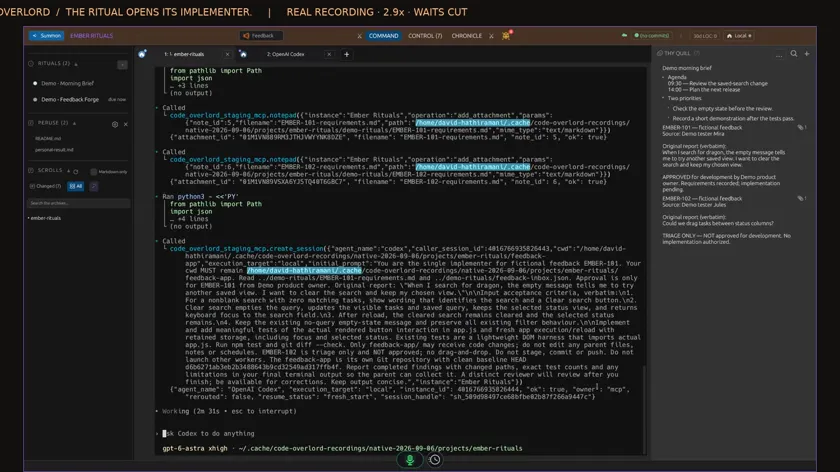 2:19Schedule work 2:19Schedule work | Code OverlordReal recording A scheduled feedback workflow starts, handles approved work and records its outcome. Schedule work — watch it work ↗ | coding CLIsVendor documentation Claude Code routines support scheduling and external triggers. Recurring work is not exclusive. Claude Code routines ↗ |
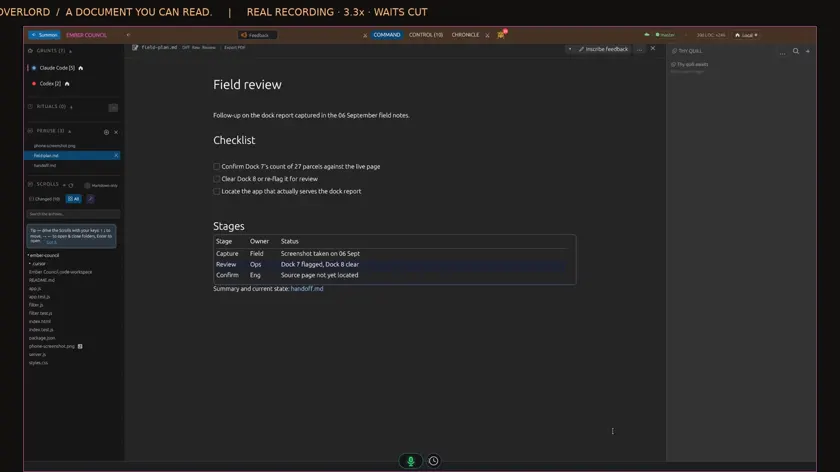 1:02Read beside the conversation 1:02Read beside the conversation | Code OverlordReal recording New Markdown arrives in the sidebar and opens formatted without losing the agent’s place. Read beside the conversation — watch it work ↗ | coding CLIsNot established File previews and shared context depend on the agent, terminal and additional tools chosen. This review does not claim every CLI setup lacks them. |
Real product recordings. Follow the instruction, the visible action and the result.
Workflow film · 2:45
Real app recording · Original AI voice and presenter portrait · Captions included · Cuts and playback speed shown in the film. Narration uses Code Overlord’s theatrical English.
One instruction to Claude: have Codex implement the change, ask another agent to review it, correct the findings, run independent checks and get a final review. Setup, approvals and waits are shortened in this recording.
Watch the sidebar. Codex appears as a new session. The hierarchy shows it beneath the agent that called it. This is the coordinator creating its own worker.
I open Codex inside the same window. The implementation is ready, with thirty tests passing. The coordinator checks its result and moves the workflow forward.
Now a separate Claude reviewer joins the workspace. The coordinator sends it the review task. I switch back to the conversation, where both Claude sessions have their own tabs.
The review finds real issues in the keyboard handling and tests. Those findings go back to the original implementer through the coordinator.
Back in Codex, the requested corrections are complete and forty tests pass. The task stayed with its implementer; I did not copy the review between agents.
The coordinator creates another session for independent checks. Watch its tab appear alongside the reviewer. Each stage has its own agent and its own visible work.
The coordinator also created an independent checker. Here is its own session, confirming the test results and that the work remains uncommitted.
Back at the coordinator, here is Code Overlord’s completion message from the checker. The coordinator reads the result and sends the work into final review.
Final review catches one more keyboard-layout issue. The coordinator sends a precise correction back to Codex and keeps the reviewer ready to verify it.
Codex finishes that correction with forty-two passing tests. The completion returns to the coordinator, which starts a fresh check alongside final verification.
The reviewer confirms that all eight findings are fixed, forty-two tests pass, and the regression checks catch the broken versions. Its review is complete.
The fresh checker independently verifies the updated keyboard behavior and reports all five checks passed. Both the checker and reviewer have now finished.
The original coordinator brings the whole run together: implementation, review, corrections, checks and the final verdict. The changes are left here for my review.
Here is the completed team in its native hierarchy. One workflow instruction; real agents handling the handoffs. Everything stayed inside Code Overlord.
Implementation, independent Claude review and checks. Watch the agents appear and return their results to the coordinator.
Workflow film · 2:00
Real app recording · Original AI voice and presenter portrait · Captions included · Cuts and playback speed shown in the film. Narration uses Code Overlord’s theatrical English.
Open the agent switcher on your phone. Claude, Codex and Pi are all running in this workspace. Choose the conversation you want to control.
With Pi selected, type a short file request and press Send. This goes into the actual agent conversation on the desktop.
Pi reads the file and reports the package name. Its live conversation is available here on your phone.
Switch to Claude. Ask a different question, then press Send. The selected agent and its conversation are shown above your message.
Claude reads the project document and replies. Switching agents keeps each request and answer in the right conversation.
Back in Code Overlord on the desktop, select that Claude tab. The phone request and its answer are both here.
Choose Codex from the same phone switcher. Send a request for the page title. There is no need to change mobile apps.
Here Codex asks for permission to read the local file. Open Special and press Enter to approve this request once. The phone sends the key to the selected agent.
Codex continues after approval and reports the title. The request, approval and result stay together in its conversation.
Select Codex on the desktop. The same phone request, one-time approval and completed answer are visible inside Code Overlord.
Switch back to Pi and its phone request is here too. Three different agent types, controlled from one mobile interface, with their work retained on the desktop.
Use the workspace selector to open Ember Council. The header changes to the workspace you selected. Other workspace names have been hidden for privacy.
Open its agent switcher. These are the conversations in Ember Council. The house icon marks agents running locally. Choose your workspace, then your agent, from the same phone interface.
Move between different agent types on one phone and send each instruction to the right desktop conversation.
Workflow film · 1:02
Real app recording · Original AI voice and presenter portrait · Captions included · Cuts and playback speed shown in the film. Narration uses Code Overlord’s theatrical English.
Ask Claude to write a short plan and a linked handoff document. I leave the conversation open. Setup and waits are shortened.
Watch the sidebar as the files are saved. Both documents appear in Peruse, while my conversation keeps its place.
One click opens the plan as a formatted document, with headings, a checklist and a table. It is all inside Code Overlord.
The handoff is linked from the plan. I follow that link and choose Open in Peruse to read the other document.
Raw shows the Markdown behind the document. I can switch back to the formatted view whenever I want.
Back in the same conversation, I ask Claude to tick the first item and update the final status.
The existing preview marks the document as updated. The first item is checked, and the status now says Ready for review.
On my phone, I open Scrolls and choose the same plan. The formatting and updated values are here too. No hunting through folders.
A new Markdown document arrives in the sidebar. Open its formatted view without losing your agent’s place.
Gemini CLI documents specialist subagents and remote delegation through Agent2Agent. Agent-to-agent work is not confined to orchestration clients. Gemini CLI subagents ↗
Model-provider choice is different from running independently authenticated coding-agent programs. Native integration and custom CLI launching also have different requirements.
cmux documents terminal organisation, programmability and a beta iOS companion. It is another option for a terminal-centred workflow. cmux product and FAQ ↗
Cursor’s iOS documentation includes photo/file input and voice. Code Overlord’s film shows its particular delivery into the selected agent, without claiming category-wide exclusivity. Cursor for iOS ↗
Separate client access, coding-agent subscriptions or API use, remote compute and connected services. Confirm current charges and supported platforms for your intended setup. This page does not quote a fixed price or claim a saving.
Want to try it on your own work?
One email address. We write when your invite is ready. Or watch every workflow first.
It works with coding agents, including Claude and Codex. The client coordinates and presents their work; the agent performs its task.
Yes. Each agent needs its supported authentication. Connected work accounts and remote-machine access are separate setup choices.
No blanket promise is made. Native launcher support, custom commands and particular integrations have different requirements.
It covers representative documented products: Claude Code, Codex, Gemini CLI and OpenCode, with adjacent terminal and mobile tools for context.